

Plenty of features to move your business forward.
Every module plus the core system — each feature with what it does. Starter covers invoicing and incoming payments, Business includes everything — automatically.
As of July 2026 · trilingual de/en/ar · 152
Core system
Always on, in every plan. Carries everything else.
- Multi-tenancy
- Any number of companies, each sees only its own data — separation is anchored in the core of the system, not just the interface.
- Multiple memberships
- One person can belong to several companies and switch in the header. Useful for consultants, holdings and founders with several entities.
- Roles and permissions
- Owner, administrator, member, read-only. Financially effective actions — approvals, payment runs, bank account, plan — are restricted to owners and administrators.
- Team invitations
- By email, with a role, valid 14 days, revocable. Company ownership can be transferred.
- Trilingual with right-to-left
- German, English, Arabic — Arabic runs with a fully mirrored interface. Everyone on the team picks their own language.
- Two tax profiles
- Germany (EUR) or UAE (AED) — determines mandatory fields, document formats, tax logic and currency.
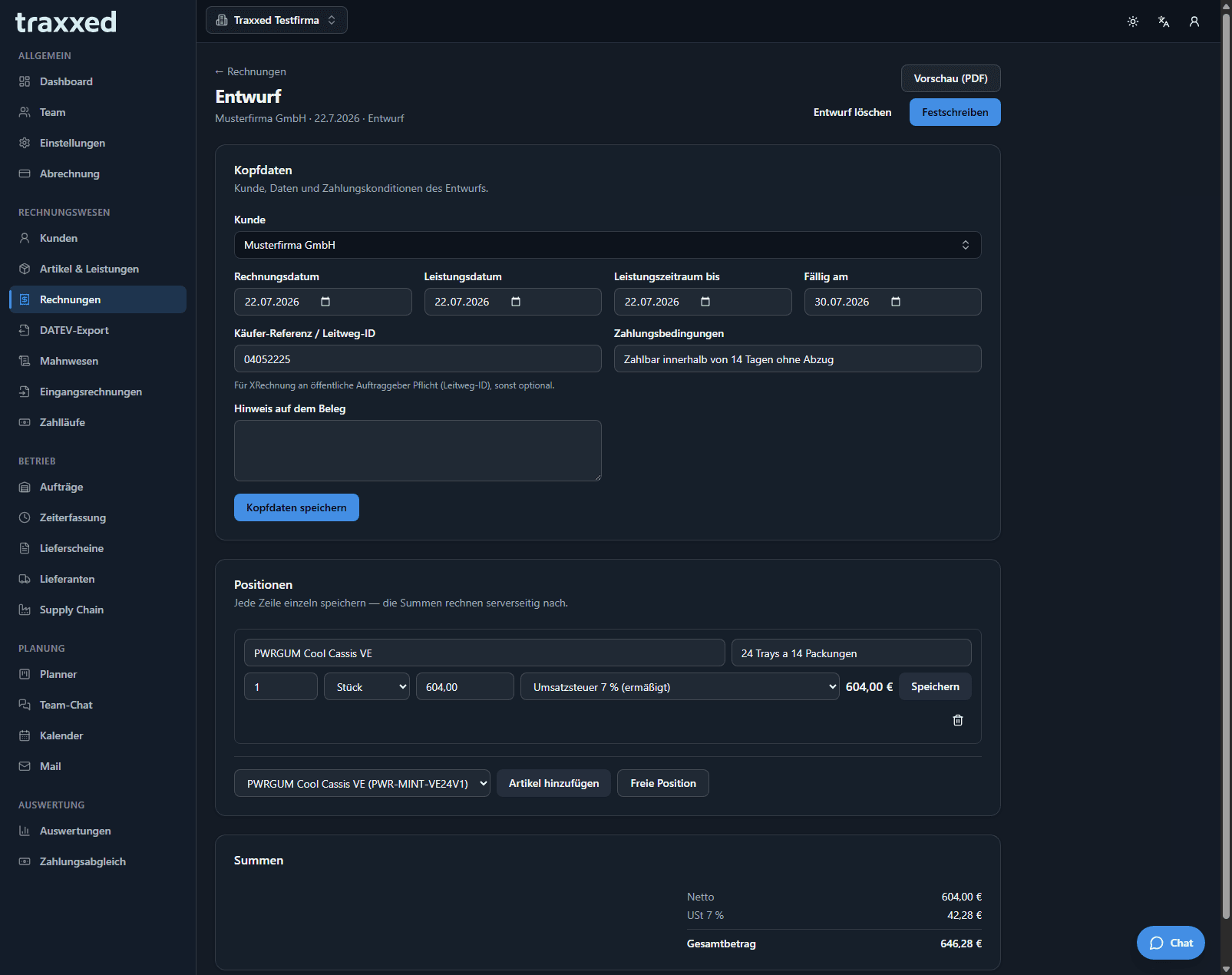
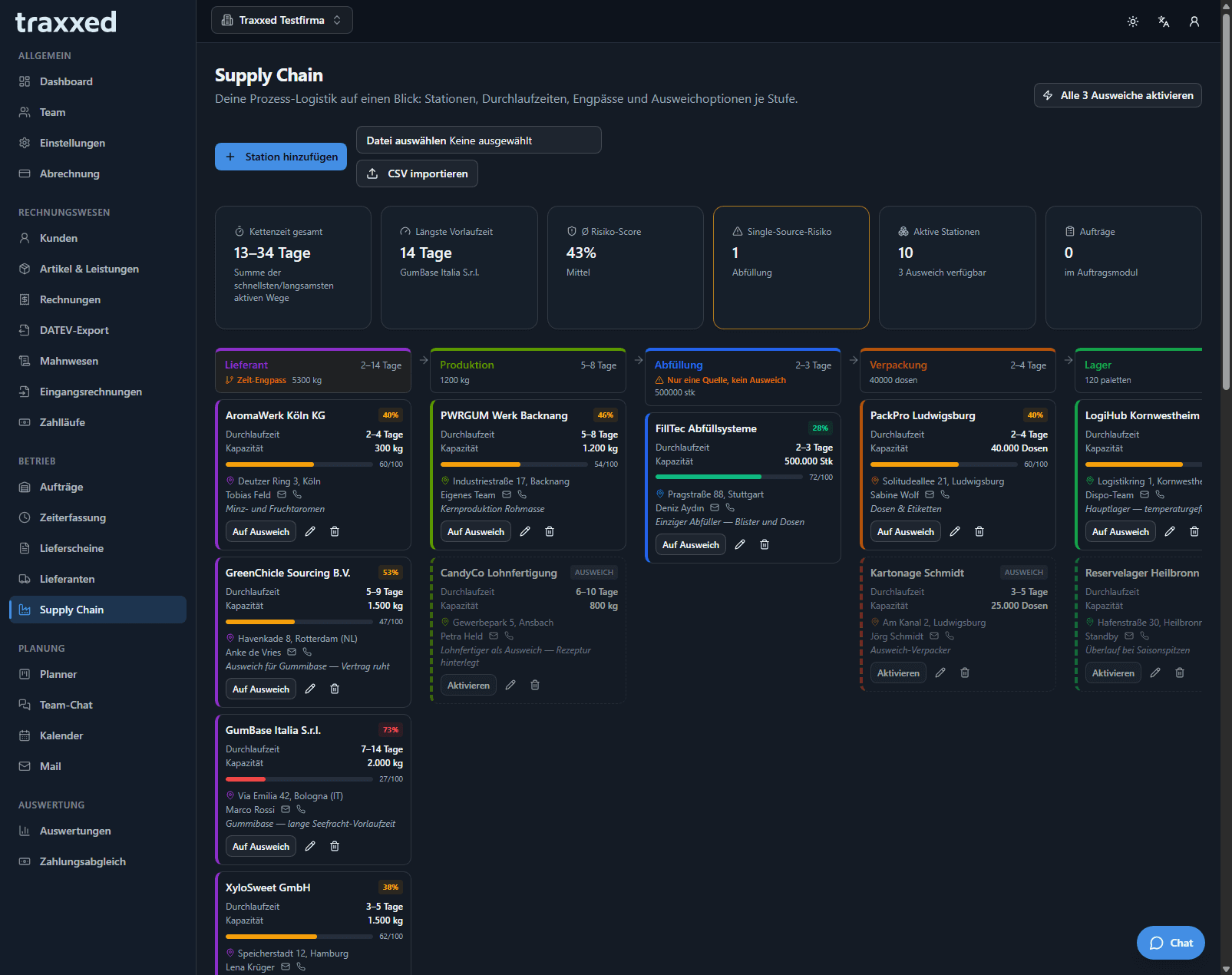
- Light and dark mode
- One click switches the whole interface — comfortable to read by day and by night.
- Setup check
- If details required for finalizing are missing (address, VAT ID, TRN), a notice sits on the dashboard and every draft — linking straight to settings.
- Company master data
- Address, VAT ID, tax number, TRN, trade register, managing director, bank details, tax office, small-business flag — everything documents need.
- Data export
- All tables as CSV and JSON plus the full document archive with PDFs and XML, as one package. On every plan. If you leave, you take your data.
- Audit log
- Finalizations, cancellations, approvals, deletions, role changes, payment runs: who, when, what.
- Your account
- Name, language, password, profile picture — it appears in team chat, on the task board and in the team overview.
Invoicing & accounting
From customer records to the DATEV export.
Customers
- Master data
- Name, customer number (manual or automatic), email, phone.
- Separate addresses
- Billing and a differing shipping address; if the latter is empty, billing applies.
- Tax numbers
- VAT ID for the EU, TRN (15 digits) for the Emirates — both format-checked.
- Document language per customer
- German, English or bilingual English/Arabic — every invoice is created in the customer's language automatically.
- Contact persons
- Any number of contacts with role, email and phone.
- Archive instead of delete
- Customers with documents never vanish: hidden from pickers, restorable.
- Full-text search
- Across name, number, email and city at once.
- VAT ID check against VIES
- Live check with the EU service; the confirmation number is archived as proof — for tax-free EU deliveries the seller carries the burden of proof.
Items & services
- Master data
- Name, item number, description, net price, tax rate.
- Nine units of measure
- Piece to kilowatt-hour — as standardized codes so they are machine-readable in the e-invoice.
- Archiving and search
- Same as customers: nothing disappears, everything is findable.
Invoices
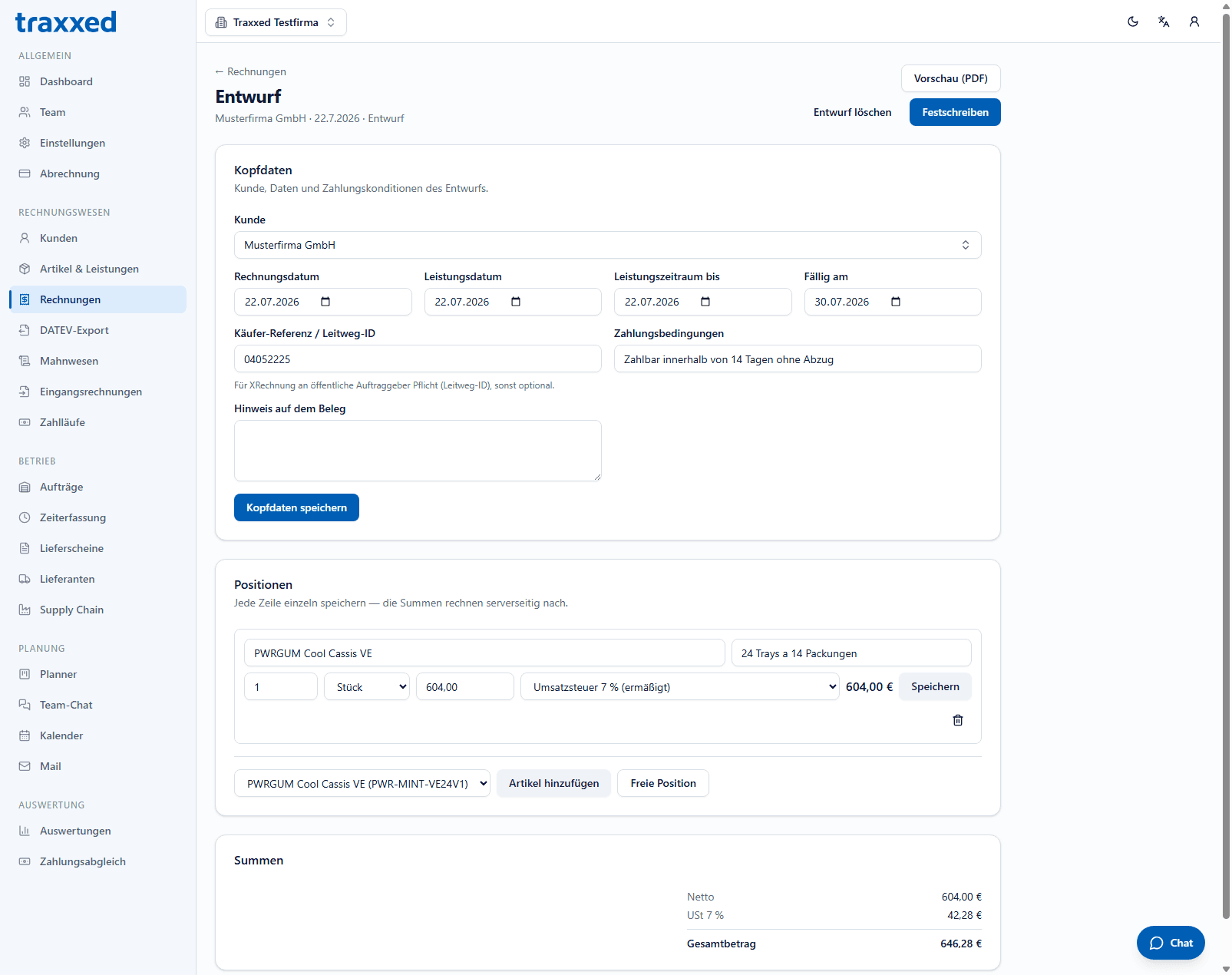
- Draft and finalization
- A document starts without a number; finalizing draws the next one. No gaps from discarded drafts — what the tax audit wants to see.
- Gapless number ranges
- Per company and document type, consecutive, no gaps.
- Immutability
- Finalized means unchangeable. Corrections only via cancellation with credit note referencing the original — both stay visible.
- Validation before finalizing
- Line items, totals, address, VAT ID or TRN, §19, Leitweg-ID — every message says where to fix it, before a number is drawn.
- Line items
- From the item catalog or free-form. Line totals calculate as you type, document totals server-side — one number from one source.
- Number format by language
- Comma in German, point in English — both accepted on input, thousands separators too.
- Header data
- Invoice, service and due date, service period, payment terms, note, buyer reference.
- Leitweg-ID
- Mandatory for XRechnung to German public-sector clients, optional otherwise.
- Three e-invoice formats
- ZUGFeRD 2.2 / Factur-X, XRechnung and PINT AE — from the same document, no double entry.
- PDF generation
- PDF with embedded XML. The draft preview uses the same generator — no “looks different later”.
- Bilingual documents
- English/Arabic in two columns for the UAE market, with correct right-to-left rendering.
- Send by email
- Invoice straight to the customer, PDF attached.
- Audit-proof archive
- Every generated file — PDF, ZUGFeRD XML, XRechnung, PINT AE — stored immutably and retrievable.
- Record payments
- Per document with date, amount, method and reference. Partial payments supported; the balance drives status and dunning.
- Payment from bank transaction
- Instead of retyping: pick an imported incoming payment — values come from the statement, i.e. from the source.
- Payment status
- Open, partially paid, paid, overdue — automatic from balance and due date.
- Document template
- Logo, accent color, texts per document language, footer details, switches for bank details and e-invoice notice — with a live preview that renders the real PDF.
- Small-business rule §19
- Set on the tenant: prevents accidental VAT, the mandatory notice appears automatically.
Dunning
- Open items in one list
- All invoices with a balance, sorted by due date, with days overdue.
- Three levels
- Deadlines per level freely configurable (say 3 / 14 / 30 days); an empty level is off, each level sends at most once.
- No dunning fees
- Deliberately. The original invoice is attached to every reminder.
- Sending log
- Which level went out when, visible per document.
DATEV export
- Posting batch in EXTF format
- All finalized documents of a period as a file your tax advisor imports directly.
- Two charts of accounts
- SKR03 and SKR04 with revenue accounts preset per tax rate; after switching, accounts are shown for review.
- Per-company settings
- Advisor number, client number, account length, debtor collective account, revenue accounts.
- Export history
- Which period was exported when, with document and posting counts.
Incoming invoices & payments
The closed loop: capture, approve, pay, reconcile.
Incoming invoices
- Capture
- File upload: PDF, XML, JPG, PNG, WebP — up to 15 MB.
- Three-stage recognition
- Every invoice is read automatically — amounts, sender, IBAN, line items. E-invoices exactly from the structured data, PDFs and scans recognized intelligently.
- Confidence indicator
- Automatic recognition states how confident the reading is — e-invoices say “exact”, because there is nothing to guess.
- Supplier matching
- Automatic via VAT ID, name as fallback. Unknown suppliers are created with one click from recognized data — visible and correctable first.
- Review and approve
- Every invoice lands in “To review”, even the exactly read one. Approval only by owner or administrator — it is a payment instruction.
- Reject
- Instead of deleting; the decision stays visible.
- Deletion with limits
- Approved and paid invoices cannot be deleted; members only delete their own; every deletion is logged.
- Original untouched
- The received file is stored as it arrived — in an audit, the received document counts.
- Status filters
- All, To review, Approved, Paid, Rejected.
Payment runs
- Assemble a run
- Select approved invoices, set an execution date — with a running total of the selection.
- SEPA file (pain.001)
- A credit-transfer file every German bank accepts in online banking. No contract, no extra costs.
- IBAN check digits
- Every IBAN is verified per ISO 13616 before it enters the file.
- SEPA character set
- “Müller Groß” becomes “Mueller Gross”, & becomes +, € becomes EUR — otherwise the bank rejects the file or mangles the name.
- No double payment
- An invoice fits into only one run — enforced by a database index, not just the interface.
- Frozen data
- Name, IBAN and amount are copied when the run is created: it pays what was approved, even if master data changes later.
- Trigger via the bank
- With a connected account, pay straight from the run as a collective transfer — one TAN for the whole run. The file remains as fallback.
- Status tracking
- Prepared, File downloaded, Submitted to bank, Completed, Discarded.
- Complete and discard
- Completing marks all invoices paid; discarding frees them for a new run.
Payment matching
- Bank statement via CSV
- Import with automatic format detection; already imported transactions are skipped.
- AI column mapping
- Unknown bank formats produce a mapping proposal with sample rows; once confirmed, the format is remembered. Account numbers are masked beforehand.
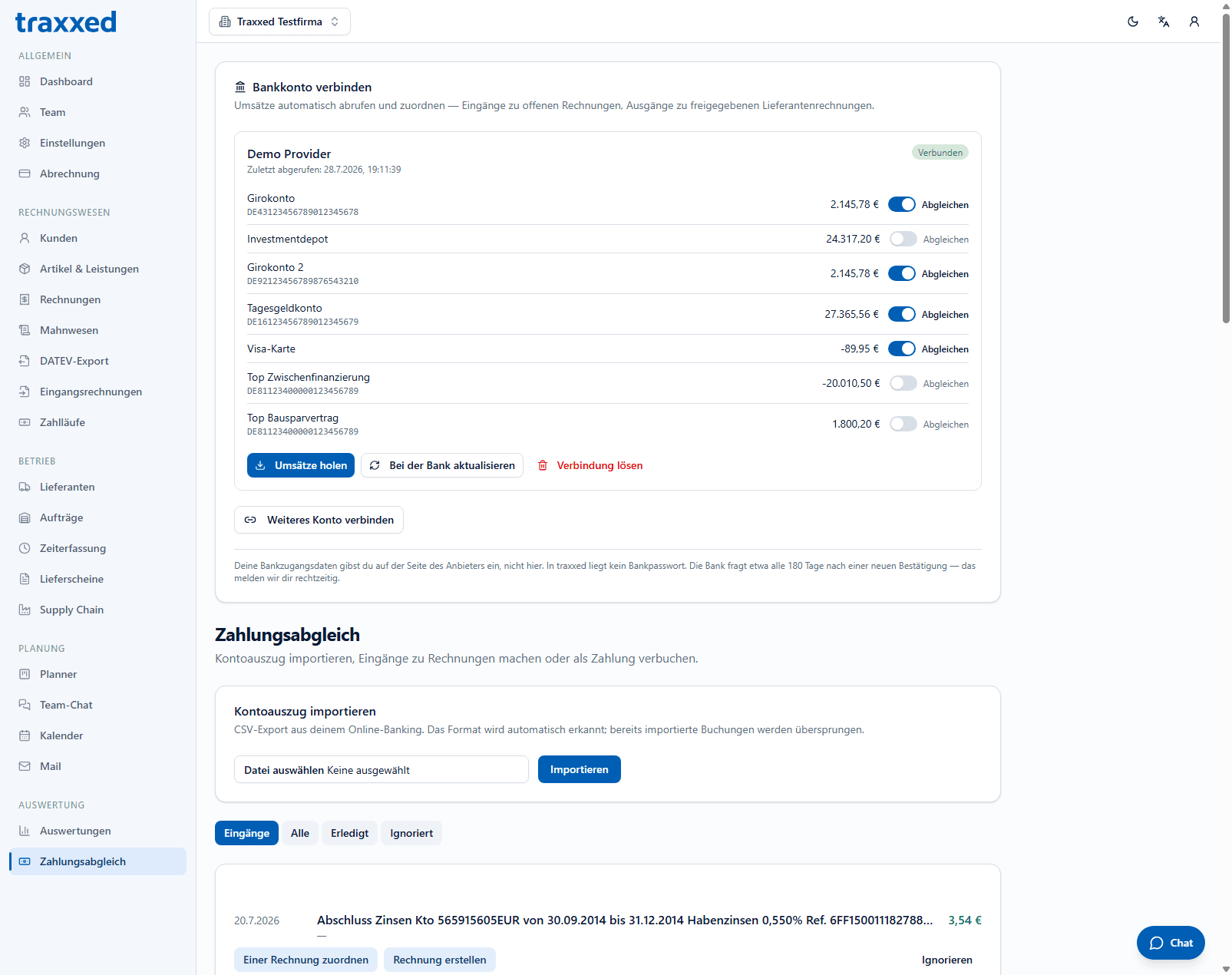
- Bank connection (BANKSapi)
- The customer connects their account on the provider's interface — bank credentials never reach traxxed.
- Account selection
- Per account of a connection you decide whether it is reconciled; payment accounts default to on.
- Transaction fetch
- Fetch transactions and balance, optionally “refresh at the bank” for fresh data — up to four automatic updates a day.
- Duplicate detection
- Each transaction is stored once, even if it arrives via CSV and the API.
- Consent renewal
- Banks require a new TAN confirmation roughly every 180 days — the connection shows it, data stays readable, one button leads to re-approval.
- Matching proposals
- Invoice number in the reference, or exactly one open invoice with the exact amount — with two hits, deliberately no proposal. The reason is always stated.
- Manual matching
- When no rule fits: pick the invoice from a search list with number, customer and balance.
- Invoice from payment
- For money without an invoice yet: customer, description, tax rate — a draft is created.
- Automatic outgoing matching
- If a debit carries a payment-run reference and the amount matches, the supplier invoice counts as paid.
- Status filters
- To process, All, Done, Ignored.
Operations
Suppliers, orders, time, delivery notes, supply chain.
Suppliers
- Complete master data
- Company, number, contacts, address, VAT ID, TRN, IBAN, BIC, payment terms, notes, any number of contact persons — with archiving and search like customers.
Orders
- Order management
- Automatic order number, customer, title, description, order date, delivery date.
- Line items
- Quantity, unit, price, tax rate; “default” applies the company's standard rate when invoicing.
- Status flow
- Open → In progress → Completed, plus cancel and reopen.
- Invoice at a click
- The order becomes an invoice draft with all line items; created invoices are linked on the order.
- Delivery note at a click
- Likewise — line items carried over, without prices.
Time tracking
- Record time
- Date, duration (“1:30” or “1.5”), order, description, billable flag.
- Visibility by role
- Members see their own entries, owners and administrators all.
- Filters
- Period, order, member.
- Totals
- Overall, billable and not yet invoiced, already invoiced.
- Turn time into an invoice
- Selected entries become one order line (hours × rate) and are locked against double billing.
Delivery notes
- Own number range, no prices
- DN numbers, optionally from an order, delivery date, PDF with signature field. Deliberately without prices; issued notes are frozen.
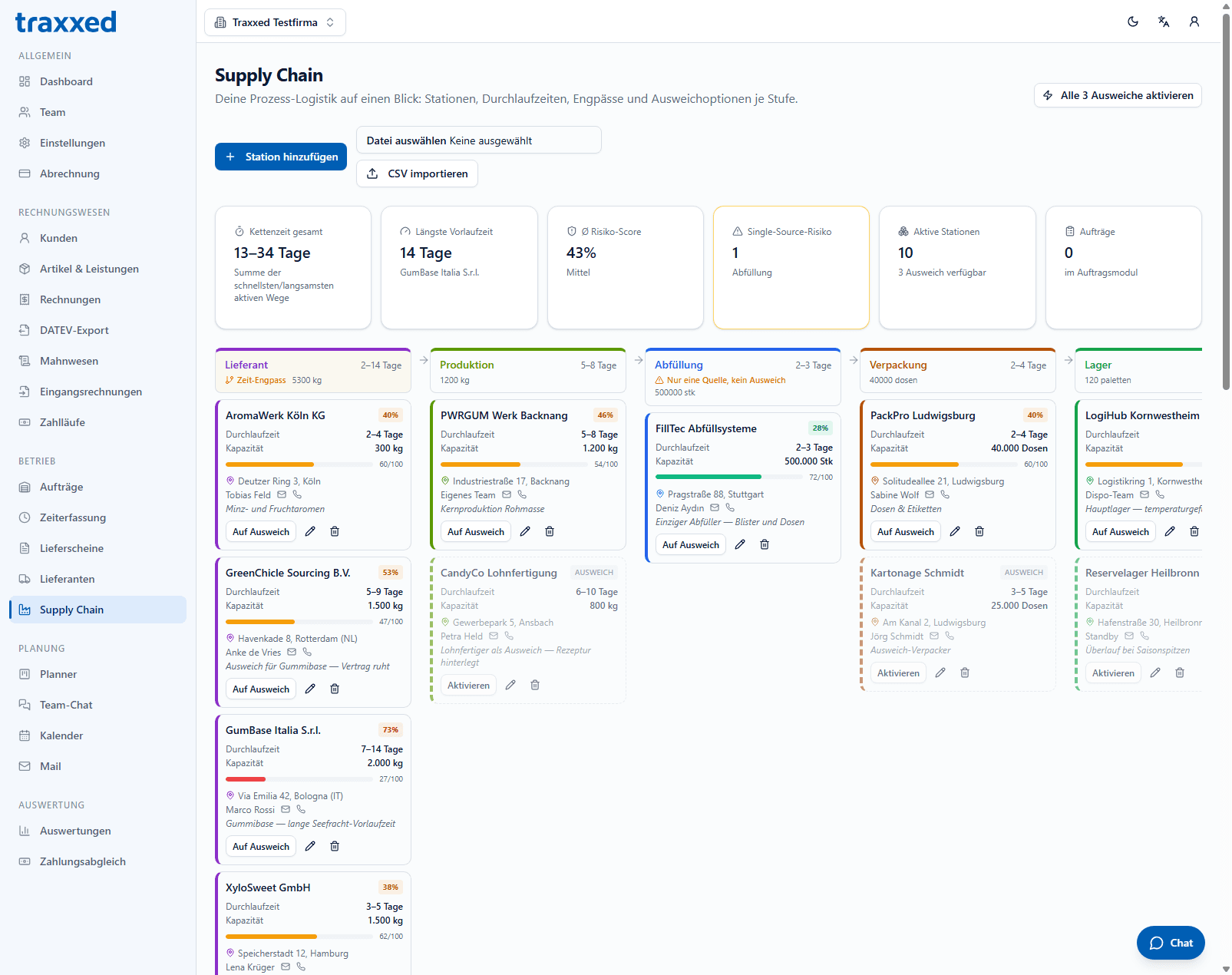
Supply chain
- Chain stations
- Six kinds from supplier to customer — per station lead times, capacity, status (active or backup), contact, coordinates.
- Key figures
- Total chain time (fastest and slowest path), longest lead time, average risk, active stations, available backups.
- Risk scoring
- Per station from lead-time variance (55 %) and duration relative to the slowest station (45 %) — low, medium, high.
- Bottleneck detection
- The time-critical station is flagged.
- Single-source risk
- Stations without a backup are flagged as risk.
- Lead-time spectrum
- Bar view of all active stations with min–max range, colored by risk.
- Map
- Your whole supply chain on one map: the active route highlighted, backup options at a glance.
- Planning mode
- Toggle stations experimentally, compare as-is vs. plan — nothing is saved until you adopt it.
- Cost simulation
- Sliders for safety buffer, order quantity, storage cost, utilization — computes storage costs, safety stock and whether a backup supplier is advisable. The formulas are shown openly.
- CSV import
- Bring in existing station lists.
Collaboration
Tasks, chat, calendar and mail — in the same login.
Planner (task board)
- Kanban boards
- Any number per company; columns freely named, deletable when empty.
- Cards
- Title, description, due date, assignee — drag and drop with stable ordering under concurrent work.
- Six templates
- From an empty board to “Get e-invoice ready now” with prepared steps — offered on first visit.
- Calendar link
- Cards with a due date appear in the calendar automatically; optionally also as a real event.
- Archiving
- Boards and cards archive instead of delete.
Team chat
- Channels
- Any number, with description, archivable.
- Instant delivery
- Messages appear for everyone without reloading.
- Profile pictures
- From the user account.
- Chat window on every page
- Reachable at the bottom, with unread counter and a notice in the browser tab title.
- Delete messages
- Deleted messages remain as a hint instead of leaving gaps.
Calendar
- Own events
- Title, all-day or timed, location, description, color, assignee.
- Recurrence
- Weekly or monthly with an end date — the 31st correctly skips months that lack one.
- Named sub-calendars
- With their own colors, individually shown or hidden.
- Due dates from the task board
- Appear automatically, recognizable as their own category.
- External calendars (ICS)
- Google, Outlook and others read-only, with their own color; fetch errors are shown.
- Google Calendar (writing)
- Connect via OAuth, decide per sub-calendar whether events are written to Google. Tokens encrypted, disconnect any time.
- Month and day view
- With legend, “Today” jump and creating straight from a day.
- Multiple own mailboxes
- Per user any number of addresses via IMAP and SMTP — your own inbox, info@, accounting@. Nothing has to move.
- Encrypted credentials
- AES-256-GCM, decrypted server-side only. A mailbox is personal: even the company owner cannot see the credentials.
- Connection test
- Checks receiving and sending and shows the cause — including hints on app passwords and Microsoft's OAuth requirement.
- Unified inbox
- All mailboxes in one list or filtered per address.
- Safe HTML display
- Incoming HTML is sanitized against an allowlist and rendered sandboxed. Remote images blocked by default — they would tell the sender when you read.
- Compose in HTML
- Bold, italic, lists, links, source view — or plain text.
- Signatures per sender address
- In HTML and plain text, with preview.
- Folders, search, attachments
- Folder switching, search across fetched messages, attachments as secured downloads.
- Two-pane reading view
- List and message side by side; two-step on narrow screens.
- Per-user settings
- Compose HTML, display HTML, auto-load remote images — with a clear explanation of what each means.
Overview & reports
See where the business stands — and what's coming.
Dashboard
- Key figures
- Twelve-month revenue, open items, overdue amounts, incoming invoices to review, approved payments, tracked time, open orders — every tile links to where you act.
- Cash-flow forecast
- Six weeks by due date: green coming in, orange going out. With a connected bank account the forecast continues from the real balance.
- Revenue history
- Twelve months as bars; credit notes reduce the month.
- Top customers
- By net of the last twelve months.
- Document quota
- Usage this month, if the plan has one.
- No empty tiles
- Tiles appear only for features your plan includes.
Reports
- KPIs per period
- Net, VAT, gross, open items, tracked time, open orders — plus revenue per month.
- Breakdown by tax rate
- Tax base and tax per rate — the numbers for the VAT return.
- Customer ranking
- Who carries the revenue.
- CSV export
- The document list for further work.
Billing & partners
One price per company — and a fair ending.
Plans & billing
- Two plans plus Archive
- Starter €19 (2 seats) and Business €49 (5 seats, all modules included) — monthly or yearly with 20 % off, per company instead of per user. Plus Archive at €9 for retention only.
- 14 days free
- New companies start with the full scope, no credit card. There is deliberately no permanently free plan.
- Payment via Stripe
- Checkout with address and VAT ID capture; tax via Stripe Tax — reverse charge for EU business customers included.
- Customer portal
- Change payment method, download invoices, cancel — on Stripe's secured interface.
- 90 days read access after the end
- View and export yes, new documents no. Then deletion — to retain longer, book Archive for €9.
Partner program
- Referral link, 30-day memory
- A readable code picked up on every page — signing up is not a single page visit.
- Commission only from paid invoices
- On the net amount, not at signup. No double, no self-referrals — the first attribution wins.
Technology & security
The arguments you don't see — until they matter.
- EU hosting only
- Frankfurt am Main region.
- Tenant separation in the database
- Row Level Security on every table, with role checks in the database rather than only in the app.
- Encryption
- TLS in transit, encrypted storage at rest, plus AES-256-GCM for mailbox credentials and access tokens.
- Bank credentials never at traxxed
- Neither stored nor transmitted — login happens at the provider (BANKSapi).
- Signature verification
- Incoming Stripe webhooks are verified against the signing secret; without a valid signature, rejected.
- Audit log
- Tax- and security-relevant actions are recorded: who, when, what.
- Accessibility
- All color combinations meet WCAG AA in both modes; full keyboard operation, navigation annotated for screen readers.